Roblox TextChatService Updates Explained: How to Test Your Chat Before February 2027
Roblox is making chat platform-native: the updated TextChatService auto-enables in February 2027 and becomes mandatory in May. What changes for creators, what to migrate, and how to test your game now.


In this guide
What Is Changing With Roblox TextChatService The TextChatService Timeline: February and May 2027 The Five Migrations: What to Replace, and With What How to Test Your Game Now Audit Your Game for Hidden Chat What If You Use Default Chat? Frequently Asked Questions What is the Roblox TextChatService update? How do I test the TextChatService update in Studio? What happens in February 2027? What happens in May 2027? Do I need to change anything if my game uses default chat? Can my game's code still read chat messages? What counts as hidden chat outside TextChatService? Related Guides on RBXMods SourcesRoblox is rebuilding how chat works inside games. Under the Roblox TextChatService updates, chat is delivered and filtered by the platform itself, not by each game's own scripts — so every player gets the same safety tools, reporting and muting, and age-based chat rules in every game. Testing is open now in Studio, the updated system switches on automatically in February 2027, and it becomes the only supported way to do custom chat in May 2027. If your game uses default chat and you have never touched it, you probably do not need to do anything. If it has a custom chat window, custom commands, or any feature that lets players talk outside the chat box, this migration is your job — and the time to test it is now, while you can still switch it off.
Key takeaways
- Roblox is making chat platform-native: the updated TextChatService delivers and filters messages, so every game gets the same safety tools and age-based chat rules.
- The updated system auto-enables for new and existing games in February 2027, with an opt-out until March 2027, and becomes mandatory in May 2027.
- Custom chat windows must move to TextChannelWindow, custom slash commands to TextChatCommand, and custom moderation to Roblox's read-only moderator tooling.
- Test now in Studio: select TextChatService in the Explorer and set PlatformIntegratedChat to Enabled — a Studio-only property, not something you set from a script.
- Audit your game for conversation outside the chat box — admin modules, bulletin boards, signs, pet names and trading notes all count — and route it through a TextChannel or rate-limit it to no more than one update per 60 seconds.
What Is Changing With Roblox TextChatService
TextChatService has run Roblox chat for years. Until now, each game could build on top of it with its own chat window, command system, and way of reading what players typed. The update, announced in the Developer Forum post "Important TextChatService Updates: How to Test and What's Next", moves the work into the platform: delivery, filtering, age-band and Trusted Friends rules, mute and report tooling, and preset phrases all behave the same way in every game.
Roblox's stated reason is consistency. A player who can report and mute in one game should be able to do it in the next, and a player whose age check limits who they can chat with should get the same limits everywhere. Custom chat code cannot guarantee that, because every game implements it differently. It also means less custom code to maintain: the window, filtering, commands and safety tools come with the platform.
What changes for players is mostly invisible. They still type in a chat box and their messages still appear. What changes is under the hood: who can see the message, how it is filtered, and which tools surround it are now decided by the platform, not by the game's scripts.
The TextChatService Timeline: February and May 2027
Roblox laid out the migration in four phases, with two dates that matter: February 2027, when the updated TextChatService switches on automatically for new and existing games, and May 2027, when it becomes mandatory and the old ways of doing custom chat stop being supported. Between now and February is the testing window.
Phase 0 — now. All real-time communication between players must already go through TextChatService. If players can hold a real-time conversation anywhere in your game outside the chat system, that is a compliance problem today, not in 2027. Non-chat text inputs — signs, pet names, licence plates, bulletin boards — must be rate-limited to no more than one update per 60 seconds. One date is much sooner than February: enforcement of this requirement begins December 3, 2026. From then, games that send player text outside TextChatService without a rate limit will be rate-limited to one message per player every 60 seconds, for a minimum of 24 hours.
Phase 1 — now to February 2027. The testing phase. Turn the updated system on in Studio, see what breaks, and tell Roblox about the gaps. Roblox wants feedback on what the new system cannot yet do — which only helps if creators test and report it.
Phase 2 — February 2027. The updated TextChatService is automatically enabled for new and existing games. An opt-out is available during this transition period: the announcement's API table says you can set PlatformIntegratedChat to Disabled to opt out any time before March 2027.
Phase 3 — May 2027. The updated system becomes the mandatory standard for custom chat. Custom chat windows that render messages themselves, and code that reads message text, are no longer supported.
The Five Migrations: What to Replace, and With What
The migration is five separate replacements. Check all five — the one you forget is the one that breaks in February.
Custom chat windows move to TextChannelWindow. If your game draws its own chat box and renders messages itself, the replacement is TextChannelWindow, a native window you place and resize while Roblox renders the messages inside it. You choose which TextChannel it displays by setting its Target, so a custom panel becomes a frame around Roblox's rendering rather than a renderer of its own. If you run custom channels, set ChatWindowConfiguration.TextChannelDisplayMode to DefaultTextChannels so they do not also render in the default window, and set TextChannel.AddPlayersOnJoin to true on channels that should enrol players automatically. Like PlatformIntegratedChat, the display mode is set in Studio or a plugin — scripts can read it but not change it.
Custom moderation moves to read-only tooling. If your moderators read chat text in code — to log it, filter it, or act on it — that access is going away. Under the updated system, message content is not available to scripts, and moderation becomes read-only: Roblox is shipping read-only moderator tooling that lets staff see chat without exporting message content from code. Chat logs kept in your own systems will stop receiving new messages.
Custom slash commands move to TextChatCommand. If players type commands like /dance and your code catches them by listening for chat text, that pattern is ending. The replacement is TextChatCommand, a native object with a primary and secondary alias and a Triggered event that fires with the TextSource that triggered it and the text as typed, before filtering:
-- Server Script in ServerScriptService: a /dance command on the new system
local TextChatService = game:GetService("TextChatService")

local danceCommand = Instance.new("TextChatCommand")
danceCommand.Name = "DanceCommand"
danceCommand.PrimaryAlias = "/dance"
danceCommand.SecondaryAlias = "/groove"
danceCommand.Parent = TextChatService

danceCommand.Triggered:Connect(function(originTextSource, unfilteredText)
	-- originTextSource is the TextSource that triggered the command;
	-- unfilteredText is the text as typed, before filtering.
	-- Run the dance emote for that player here.
end)
Preset phrase interfaces move to Quick Words. If your game offers players a menu of preset phrases — common in games for younger players — that becomes Quick Words, a platform preset-phrase system instead of one built in-game. The phrases are then delivered through the platform's chat, with the same filtering and age rules as typed messages.
Custom prefixes and role tags move to native role badges. If your game shows a prefix or tag next to a player's name — a rank, a role, a donor mark — the replacement is Roblox's native role badge system. The full badge system is on the roadmap for February 2027, so if your game depends on rank tags, do not enable the new system for that chat until the badges arrive — check the announcement thread for the latest state before you rebuild yours.
How to Test Your Game Now
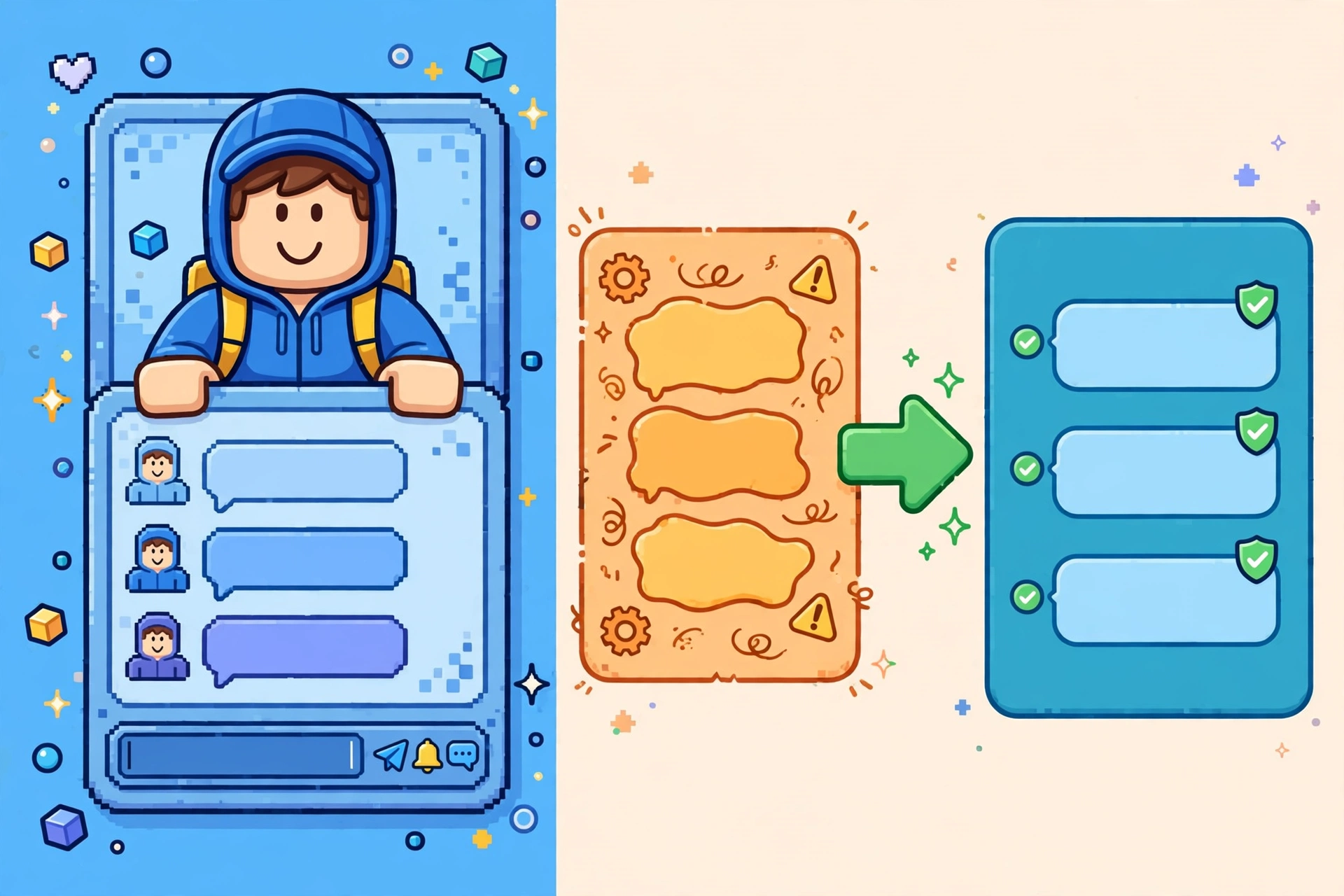
Testing takes one property change. Open your place in Studio, select TextChatService in the Explorer, and set PlatformIntegratedChat to Enabled. You cannot set it from a live script — it is a Studio property, so it only affects your testing session and never ships to players by accident. You can set it back to Disabled any time if you need to, but do the test first: the point is to find what breaks while you still have months to fix it.
Once it is on, check three things. First, your custom chat window: does it still show messages, or is it now an empty frame? If it rendered messages itself, expect it to go quiet — that is the migration telling you where the work is. Second, your commands: type each slash command and see whether it fires. Anything that relied on reading chat text will stop working, and the replacement is the TextChatCommand pattern above. Third, confirm what the new system hides: APIs that used to return message strings now return empty strings, so any code that read messages — a radio system, a chat log, a moderation panel — comes back empty. That is the intended behaviour, not a bug.
Test with several accounts. Playtest with age-banded accounts and Trusted Friends edge cases, because the age-based chat rules are part of what the platform now enforces. If your game has private servers or a VIP area with its own chat, test those too.
Audit Your Game for Hidden Chat
The migration's most common surprise is not the chat box. It is everything else that lets players talk to each other. Roblox's Phase 0 reminder is blunt: if players can hold a real-time conversation outside TextChatService, compliance will find it. Audit your game for the usual hiding places before February, not after.
Admin modules are the first place to look. Many admin systems let moderators message players, or let players message each other through a command. Under the new rules, one-on-one private messaging through custom code is out, and broadcast text is limited to no more than one message per sender per 60 seconds. If your admin module has a ;talk or ;say style command that makes a player speak, remove it: under the new rules, player speech has to go through TextChatService.
Then check the quieter features: signs and bulletin boards players can edit, pet names, licence plates, trading notes, and any announcement or comment system players can write in. Each of these is fine as a feature, but if players can use one to hold a conversation — writing back and forth in near real time — it needs either routing through a TextChannel or a rate limit of no more than one update per 60 seconds. Continued violations can lead to the experience being suspended or removed, so this audit is not optional housekeeping.
What If You Use Default Chat?
If your game uses default chat with no customisations — no custom window, no custom commands, no message reading — you do not need to do anything. Roblox says so directly: games on default chat should not need action and should not see a player-facing change. Still, run the Studio test once to confirm.
Frequently Asked Questions
What is the Roblox TextChatService update?
Roblox is making chat platform-native: the updated TextChatService delivers and filters messages, so every game gets the same safety tools, age-based chat rules and reporting. It auto-enables in February 2027 and becomes mandatory in May 2027.
How do I test the TextChatService update in Studio?
Open your place in Studio, select TextChatService in the Explorer, and set PlatformIntegratedChat to Enabled. It is a Studio-only property, not set from a script. Test your chat window, commands and moderation, then set it back to Disabled if you need more time — the opt-out runs until March 2027.
What happens in February 2027?
The updated TextChatService switches on automatically for new and existing games. An opt-out is available during the transition, so a game that is not ready can switch back temporarily. The exact opt-out steps arrive closer to the date.
What happens in May 2027?
The updated TextChatService becomes the only supported path for custom chat. Custom chat windows that render messages themselves, and code that reads message text, are no longer supported.
Do I need to change anything if my game uses default chat?
Usually no. Roblox says games on default chat with no customisations should not need action and should not see a player-facing change. Run the Studio test once to confirm.
Can my game's code still read chat messages?
No. Under the updated system, message content is not available to scripts — APIs that used to return message strings return empty strings. Moderation moves to Roblox's read-only tooling, and slash commands move to TextChatCommand.
What counts as hidden chat outside TextChatService?
Any feature that lets players hold a real-time conversation outside the chat system: admin messaging commands, bulletin boards, editable signs, pet names, licence plates and trading notes. Route it through a TextChannel or rate-limit it to no more than one update per 60 seconds.
Related Guides on RBXMods
- Roblox chat not working: fixes — the player side of the same change: why chat stops working, the age check, and the two-minute diagnostic.
- Roblox ban lists explained — the other half of the 2027 moderation season: cross-game bans launch January 29, 2027, just before chat auto-enables.
- Roblox ban appeal explained — what happens when moderation lands on a player: alt detection, the 30-day appeal window, and the appeals page.
- Roblox RemoteEvents and RemoteFunctions explained — the client-server boundary your chat code already sits on: what the server can and cannot trust from the client.
RBXMods is not affiliated with or endorsed by Roblox Corporation. Roblox and the Roblox logo are trademarks of Roblox Corporation.
Sources
Last checked against Roblox sources: November 23, 2026.
- Roblox Developer Forum: Important TextChatService Updates — How to Test and What's Next — posted October 21, 2026 by Rupert (rbitia_rbx, Roblox Staff), edited October 29, 2026: the four phases, the five migrations, the one-update-per-minute rule, and the December 3, 2026 enforcement date. (Verified loading in the live browser 2026-11-23.)
- Roblox Creator Docs: Platform-Integrated Chat — the testing steps (Explorer > TextChatService > PlatformIntegratedChat > Enabled), TextChannelWindow.Target, and ChatWindowConfiguration.TextChannelDisplayMode. (Verified loading in the live browser 2026-11-23.)
- Roblox Creator Docs: TextChatCommand — API reference: PrimaryAlias, SecondaryAlias, and the Triggered event (originTextSource, unfilteredText). (Verified loading in the live browser 2026-11-23.)
- Roblox Creator Docs: Temporary Text Limits — the December 3, 2026 enforcement: text sent outside TextChatService without a rate limit is limited to one submission per player every 60 seconds, for a minimum of 24 hours. (Verified loading in the live browser 2026-11-23.)
- RobloxTools: Roblox Creator Chat Deadline 2027 — independent summary (November 14, 2026) of the announcement: the five migrations, the Studio opt-in checklist, and the February/May 2027 dates. (Verified loading 2026-11-23.)